The SMB Owner's Guide to AI Workflow Automation (Without the $100K Budget)
The average employee spends 2.5 hours per day on tasks that AI can fully automate. For a 15-person company, that is 37.5 hours per day of recoverable time. At $30/hour average fully loaded cost, that is $8,437 per month walking out the door in manual work that a machine could do better, faster, and without errors.
The problem is not that SMB owners do not know AI could help. It is that every AI vendor seems to want $100K+ and a 6-month implementation. That is enterprise pricing for enterprise problems. Small businesses need tools that cost $9 to $99 per month and deploy in days, not quarters. Those tools exist. Here are the 7 workflows to automate first, the specific tools for each, what they cost, and step-by-step setup instructions.
The 80/20 Rule of Workflow Automation
80% of the value comes from automating 20% of your workflows. You do not need to transform your entire operation. Identify the 3-5 workflows eating the most time and fix those first.
Score every workflow on three dimensions:
- Frequency: How often does this task happen? Daily = high value.
- Time per task: How long does it take manually? 30+ minutes = high value.
- Error rate: How often do mistakes happen? Errors that cascade downstream = very high value.
Multiply frequency by time by error impact. The highest-scoring workflow is your first automation target.
1. Invoice Processing and Accounts Payable
Manual cost: 15-30 minutes per invoice. For a business processing 100+ invoices/month, that is 25-50 hours of manual data entry, matching, and routing.
Tools and Pricing
- Stampli ($200-$500/month): AI reads invoices from email, portal, or scan. Extracts vendor, line items, amounts, tax, due date. Matches against purchase orders. Routes for approval based on amount thresholds you set. Posts to your accounting system (QuickBooks, Sage, NetSuite, Xero). Learns your approval patterns and flags anomalies. Best for businesses processing 50-500 invoices/month.
- Dext (formerly Receipt Bank, $24/month for solo, $64/month for business): Extracts data from receipts, invoices, and bank statements. Pushes directly to QuickBooks or Xero. Auto-categorizes expenses based on learned patterns. Best for small businesses under 50 invoices/month or expense-heavy operations.
- Zapier + QuickBooks ($19.99/month + QBO subscription): Lightweight automation. When an invoice arrives via email (Gmail trigger), Zapier extracts key fields using AI and creates a bill in QuickBooks. No dedicated AP tool needed. Best for businesses processing under 30 invoices/month.
- n8n (free self-hosted) + Claude API ($5-$20/month usage): Custom pipeline. Email arrives, n8n forwards attachment to Claude for extraction, structured data writes to your accounting system via API. Zero per-operation costs. Best for technical teams or businesses with high volume.
Setup (5 Days)
- Day 1: Sign up for Stampli or Dext. Connect your email inbox (invoices arrive by email for most businesses) and your accounting system.
- Day 2-3: Process your last month's invoices through the tool. Review every extraction for accuracy. Most tools achieve 90-95% accuracy on first pass. Correct errors to train the AI.
- Day 4: Set up approval routing: invoices under $1,000 auto-approve, $1,000-$5,000 route to department manager, $5,000+ route to controller/owner.
- Day 5: Go live. New invoices flow through the AI pipeline. Human reviews the extracted data before posting (remove this step after 50 clean invoices).
Result: Processing time drops from 15-30 minutes to 90 seconds per invoice. 20-40 hours/month recovered. Error rate drops from 3-5% (manual entry) to under 1%.
2. Report Generation and Distribution
Manual cost: Someone pulls data from 3-5 systems, copies it into a spreadsheet, formats it, creates charts, writes a summary, emails it out. 2-4 hours per report.
Tools and Pricing
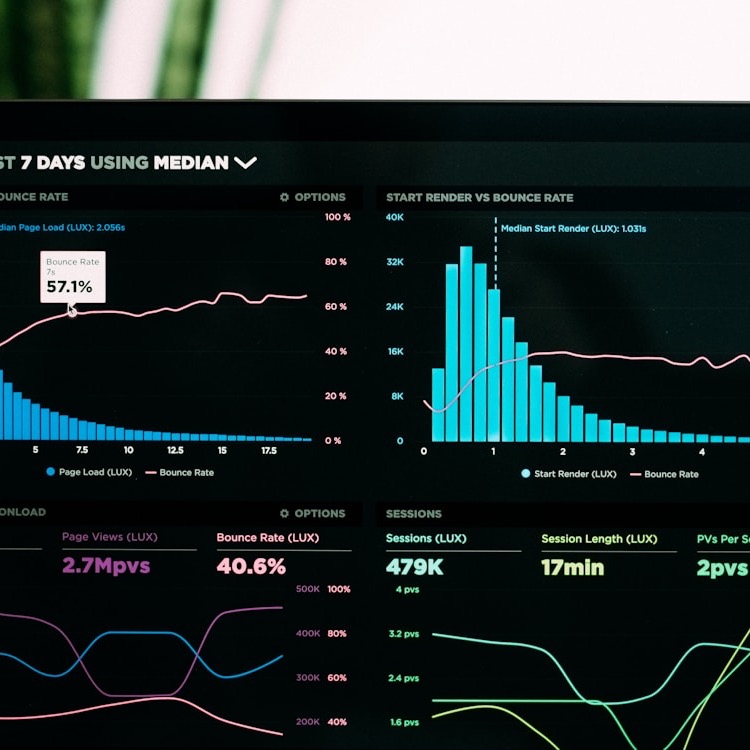
- Google Looker Studio (free): Connects to Google Analytics, Google Ads, Google Sheets, BigQuery, and 800+ data sources via connectors. Build dashboards that auto-update. Schedule PDF email delivery. Best for marketing and web analytics reporting.
- Databox ($0-$72/month): Pulls data from 100+ sources (HubSpot, Shopify, Stripe, GA4, social platforms). Pre-built dashboard templates. Automated daily/weekly email reports. AI-generated performance summaries. Free tier supports 3 data sources and 3 dashboards. Best for sales, marketing, and financial KPI reporting.
- Make.com ($9/month) + Google Sheets + Gmail: Build a workflow that pulls data from your CRM, inventory system, and accounting software into a Google Sheet, applies formulas, generates a summary, and emails the formatted report on a schedule. Total cost: $9/month. Best for businesses with custom reporting needs that do not fit pre-built dashboards.
- n8n (free) + Claude API: Pull data from any API, have Claude write a natural-language analysis of the numbers (trends, anomalies, recommendations), and deliver via email or Slack. Reports that read like a human analyst wrote them. Best for executive summaries and board reporting.
Setup (3 Days)
- Day 1: Identify the 2-3 reports your team creates most frequently. List every data source used in each report.
- Day 2: Connect data sources to Looker Studio or Databox. Build the dashboard layout: KPIs at top, trend charts in middle, detailed tables at bottom.
- Day 3: Schedule automated delivery (daily, weekly, monthly). Test with your team. Adjust layout based on feedback.
Result: Report creation drops from 2-4 hours to zero (auto-generated). 15-30 hours/month recovered depending on reporting cadence.
3. Employee Onboarding
Manual cost: HR creates accounts, sends forms, schedules training, assigns equipment, follows up on incomplete paperwork. 8-15 hours per new hire across multiple people.
Tools and Pricing
- Rippling ($8/user/month): Automates the entire onboarding flow: offer letter, background check, I-9 verification, payroll setup, benefits enrollment, device provisioning, app account creation (Google Workspace, Slack, etc.), and training assignments. One click hires. Best for businesses with 10+ employees and regular hiring.
- BambooHR ($6.19/user/month): HR platform with automated onboarding workflows. Task checklists, document collection, e-signatures, and new hire portal. Customizable onboarding templates per role. Best for businesses wanting a dedicated HR system.
- Notion + Zapier ($10/month + $19.99/month): Build onboarding checklists in Notion. Zapier triggers when a new hire is added: creates accounts, sends welcome emails, assigns tasks, and schedules meetings automatically. Best for small teams (under 20) that want a lightweight solution.
Setup (1 Week)
- Day 1-2: Map your current onboarding steps. What forms need signing? What accounts get created? What training happens? What equipment ships? Document everything.
- Day 3-4: Build the workflow in Rippling, BambooHR, or Notion. Set up triggers: when a new hire is added, the sequence fires automatically.
- Day 5: Test with a mock new hire. Verify every step executes correctly: documents sent, accounts created, training scheduled, manager notified.
Result: 60-70% reduction in onboarding admin time. Nothing falls through cracks. New hires productive faster because the process is consistent.
4. Data Entry and Transfer Between Systems
Manual cost: Copying data from emails, forms, or documents into your CRM, ERP, or project management system. The most soul-crushing task in business.
Tools and Pricing
- Zapier ($19.99/month for 750 tasks): Connect 6,000+ apps with if-this-then-that logic. When a form is submitted, data flows to your CRM, spreadsheet, and project tool simultaneously. No coding. Best for simple, linear data transfers between 2-3 systems.
- Make.com ($9/month for 10,000 operations): More powerful than Zapier for complex multi-step workflows with branching logic. Visual workflow builder. Better value at high volume (10,000 operations vs Zapier's 750 tasks at similar price). Best for businesses with complex data routing needs.
- Parseur ($39/month for email parsing): Extracts structured data from emails, PDFs, and documents automatically. Set up extraction templates for your most common email types (orders, inquiries, booking confirmations). Pushes extracted data to Google Sheets, CRM, or project management via Zapier/Make. Best for businesses that receive critical data via email.
- n8n (free self-hosted): Unlimited operations, unlimited connections. Requires a $5-$20/month server. Best for businesses with developer access and high data transfer volume.
Setup (2-3 Days)
- Day 1: Identify the top 3 data entry tasks by volume and time. For each: what is the source (email, form, document)? What is the destination (CRM, spreadsheet, accounting)?
- Day 2: Build the first automation in Zapier or Make. Test with 10 sample records. Verify data accuracy in the destination system.
- Day 3: Build the remaining 2 automations. Monitor for 1 week. Check for edge cases the automation misses (unusual formatting, missing fields, duplicate records).
Result: 80-90% reduction in data entry time. Higher accuracy than manual entry. Staff redirected from copying data to work that requires judgment.
5. Project Status Updates and Stakeholder Reporting
Manual cost: Manager messages 5 people asking for updates, chases the 2 who do not respond, compiles status into a report, presents in a meeting that could have been an email. 5-10 hours/week for project-heavy businesses.
Tools and Pricing
- Monday.com ($9/seat/month) or Asana ($10.99/seat/month): Built-in status dashboards that auto-update as team members move tasks. Automated weekly status reports via email. Workload views show who is overloaded. Best for teams managing 5+ concurrent projects.
- Geekbot ($2.50/user/month, Slack integration): Automated standup and status check via Slack. Asks each team member 2-3 questions (What did you do? What will you do? Any blockers?) and compiles responses into a single report. Replaces daily standup meetings. Best for remote or hybrid teams.
- Make.com + Slack/Email ($9/month): Build a weekly automation that pulls task status from your project tool, identifies overdue items, and sends a summary to stakeholders. Include AI-generated commentary on project health using Claude or GPT API. $9-$20/month total.
Setup (1-2 Days)
- Day 1: Move project tracking to Monday.com, Asana, or ClickUp if not already there. Set up a dashboard showing all active projects with status indicators.
- Day 2: Enable automated weekly reports. Configure Geekbot for daily async standups. Turn off the recurring status meetings.
Result: Status meetings eliminated. Real-time project visibility. At-risk items flagged automatically before deadlines slip.
6. Scheduling and Calendar Management
Manual cost: Back-and-forth emails finding mutual availability. Double-bookings. No-shows from forgotten meetings. 3-5 hours/week per person managing external meetings.
Tools and Pricing
- Calendly ($8/month per seat): Share a link. Recipients pick a time. Meeting booked with automatic confirmation, reminders, and calendar invite. Round-robin assignment for teams. Integrates with Zoom, Google Meet, Teams. Reduces no-shows by 25-35% via automated reminders.
- SavvyCal ($12/month): Same scheduling functionality with a more elegant interface. Includes personalized scheduling links and overlay calendar view so recipients see their own availability alongside yours. Best for client-facing professionals.
- Reclaim.ai ($8/month): AI scheduling assistant that blocks time for focus work, syncs across multiple calendars, and automatically reschedules lower-priority meetings when conflicts arise. Best for executives and managers with complex calendar demands.
Setup (1 Day)
- Sign up. Connect your calendar. Set your availability windows. Add buffer times between meetings. Enable automated reminders (24 hours and 1 hour before). Add your scheduling link to your email signature, website, and proposals. Done.
Result: Scheduling time drops from 3-5 hours/week to zero. No-show rates drop 25-35%. No more double-bookings.
7. Compliance and Documentation
Manual cost: Tracking regulatory deadlines, preparing documentation, filing reports, and hoping nothing gets missed. One missed compliance deadline can cost more than a year of automation.
Tools and Pricing
- Vanta ($5,000+/year): Automated compliance monitoring for SOC 2, ISO 27001, HIPAA, GDPR, and PCI DSS. Continuous monitoring of your infrastructure, automatic evidence collection, and policy management. Best for SaaS companies and businesses handling sensitive data that need formal compliance certifications.
- Drata ($3,000+/year): Similar to Vanta with slightly different framework coverage. Automated evidence collection, employee access reviews, and vendor risk assessments. Best for growing companies approaching their first audit.
- Process Street (free-$25/month): Template-based compliance checklists and approval workflows. Build recurring compliance procedures that run on schedule, assign to team members, and track completion. Best for non-technical compliance needs (HR policies, safety inspections, quality checks).
- Notion + Make.com ($10 + $9/month): Build compliance databases in Notion with automated reminder emails via Make. Track deadlines, document submissions, and audit histories. Lightweight but effective for small businesses with 5-10 compliance requirements.
Setup (1 Week)
- Day 1-2: List every compliance requirement your business has: industry regulations, tax filings, insurance renewals, license renewals, employee training certifications.
- Day 3-4: Build a compliance calendar with deadlines and lead times. Set up automated reminders at 30 days, 14 days, and 7 days before each deadline.
- Day 5: Assign owners to each compliance item. Create document templates for recurring filings. Test the reminder system.
Result: Zero missed deadlines. Automated audit trails. The primary value is risk reduction: one missed compliance deadline can cost $10,000-$100,000+ in fines, legal fees, or lost certifications.
The Full Stack: What 7 Automated Workflows Cost
Budget Stack ($50-$100/month)
- Zapier or Make.com for data transfer ($9-$20/month)
- Dext for invoice processing ($24/month)
- Calendly for scheduling ($8/month)
- Geekbot for standups ($2.50/user/month)
- Google Looker Studio for reports (free)
- Notion for compliance tracking ($10/month)
Growth Stack ($200-$500/month)
- Make.com for complex workflows ($9/month)
- Stampli for AP automation ($200/month)
- BambooHR for onboarding ($6.19/user/month)
- Monday.com for project management ($9/seat/month)
- Databox for automated reporting ($72/month)
- SavvyCal for scheduling ($12/month)
- Process Street for compliance ($25/month)
Annual cost: $600-$6,000 depending on stack. Annual time recovered: 1,500-4,000 hours across a 15-person team. At $30/hour, that is $45,000-$120,000/year in recovered productivity. ROI is 7-200x the tool cost.
Where to Start: The First 48 Hours
Do not attempt all seven at once. Pick one. The highest-scoring workflow from the frequency-time-error formula.
- Hour 1: Score your workflows. Which task happens most often, takes the most time, and generates the most errors?
- Hour 2: Sign up for the tool that matches (see recommendations above). Start the free trial.
- Hours 3-8: Connect your data sources, build the workflow, and test with real data.
- Day 2: Run in parallel with your manual process. Compare outputs. Fix issues.
- Day 3: Go live on the first workflow. Start scoring the next one.
fAIceless builds AI workflow automation for small and mid-size businesses. We audit your operations, identify the highest-ROI targets using the frequency-time-error framework, and deploy the right tools in under 6 weeks. Start with our AI Readiness Scorecard to find out which of your workflows are bleeding the most time and money, or book a free workflow audit.
Get the fAIceless Brief
One AI tip. One case study. One tool. Every week.